
Kichler Ceiling Fan Remote Control Manual: A Comprehensive Guide
Kichler ceiling fan remotes offer convenient control; this manual details pairing, operation, troubleshooting, and maintenance for optimal performance and user satisfaction.
Understanding Kichler Ceiling Fan Remotes
Kichler ceiling fan remotes are designed to provide seamless control over your fan’s functions, enhancing comfort and convenience within your home. These remotes aren’t simply on/off switches; they unlock a range of features, including precise speed adjustments, dimmable lighting options, and the ability to reverse the fan’s direction for seasonal optimization.
Understanding the core functionality of your Kichler remote begins with recognizing its purpose: to wirelessly communicate with the receiver unit installed within your fan’s canopy. This receiver translates the remote’s signals into actions, controlling the motor and light kit. Proper pairing is crucial for reliable operation, and this manual will guide you through that process. Different Kichler models utilize varying remote technologies, but the fundamental principles remain consistent.
Types of Kichler Remote Controls
Kichler offers a variety of remote controls tailored to different fan models and features. The most common type utilizes dip switches for programming, requiring manual configuration to synchronize with the fan’s receiver. These are typically found in older or more basic Kichler fan setups. More advanced models employ radio frequency (RF) technology, offering a broader range and potentially eliminating the need for direct line-of-sight operation.
Furthermore, some Kichler remotes feature LCD displays for easier programming and feedback. Others are designed specifically for DC motor fans, like the DC-18 series, and boast simplified operation. Identifying your remote’s specific type – often indicated by a model number on the back – is the first step towards understanding its capabilities and finding the correct programming instructions.
Remote Control Features & Functions
Kichler remote controls provide a comprehensive suite of functions for managing your ceiling fan. Core features include precise fan speed control, allowing you to select from multiple speeds for optimal comfort. Lighting control is also central, often incorporating dimming capabilities and, in newer models, adjustable color temperature settings. Many remotes include a reverse function to change the fan’s direction for seasonal adjustments – cooling in summer, distributing warm air in winter.
Advanced features may encompass sleep modes, timer settings, and compatibility with smart home systems. The LCD display on some models provides clear feedback on selected settings. Understanding these features maximizes your fan’s efficiency and enhances your overall comfort experience.

Pairing Your Kichler Remote
Successful pairing of your Kichler remote involves locating the receiver, identifying dip switches, and carefully programming them for seamless fan control.
Locating the Receiver Unit
The receiver unit is the crucial component bridging your Kichler ceiling fan and its remote control. It’s typically housed within the fan’s canopy – the decorative cover mounted to the ceiling. Carefully lower the canopy to access the receiver.
You may need to gently detach the canopy; consult your fan’s installation manual if unsure. The receiver is a small, often rectangular, module with wiring connections for the fan motor and light fixture. Look for a unit containing small dip switches, as these are essential for the pairing process. Ensure the power to the fan is completely OFF at the breaker before attempting to access the receiver unit for safety.
Identifying Dip Switches
Dip switches are small, physical switches arranged in a row on the receiver unit. They resemble tiny levers, typically set to either “on” or “off” positions. These switches are the primary method for synchronizing your Kichler remote with the fan.
Each switch represents a binary code, and matching the settings on both the receiver and the remote establishes communication. The number of dip switches can vary depending on the remote model, commonly ranging from four to eight. Carefully observe the switch positions – noting the current configuration is vital before making any changes, allowing for easy restoration if needed.
Dip Switch Programming: A Step-by-Step Guide
Begin by ensuring the fan’s power is off at the breaker. Locate the dip switches on both the receiver unit (inside the fan canopy) and the remote control itself. Carefully record the existing dip switch positions on both units – this is crucial for reverting to the original settings if needed.
Now, match the dip switch settings on the remote to those on the receiver. Use a small screwdriver or pen tip to toggle the switches. Restore power to the fan. Test the remote’s functionality; if it doesn’t work, double-check all switch positions for accuracy and repeat the process.
Troubleshooting Pairing Issues
If your Kichler remote fails to pair, first verify fresh batteries are installed correctly. Ensure no other similar remote controls are nearby, potentially causing interference. Double-check the dip switch settings on both the remote and receiver unit, confirming they are precisely matched.
Power cycle the fan – turn off the breaker for one minute, then restore power. If issues persist, try re-pairing following the initial programming steps. A faulty receiver or remote may require replacement; contact Kichler support for assistance if these steps don’t resolve the connection problem.
Operating Your Kichler Remote
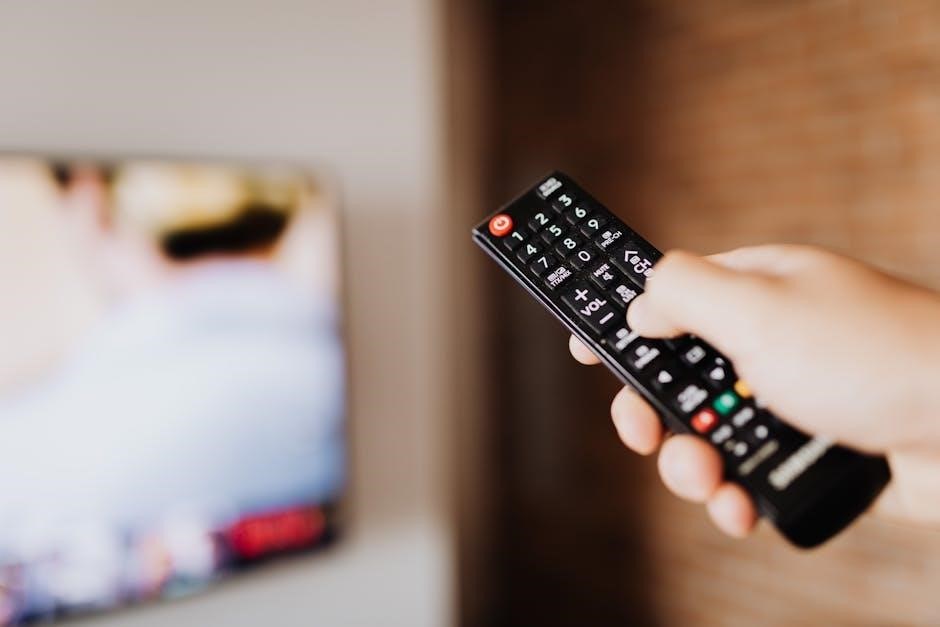
Kichler remotes provide seamless control of fan speed, light dimming, and color temperature, enhancing comfort and convenience within your living space effortlessly.
Controlling Fan Speed
Kichler remote controls offer precise fan speed adjustments, typically utilizing a multi-speed function. Pressing the fan speed buttons on your remote cycles through the available speeds – often low, medium, and high – allowing you to customize airflow to your preference. Some advanced models feature a “breeze” setting, simulating natural wind patterns for enhanced comfort.
Pay attention to the indicator lights on both the remote and the fan receiver to confirm speed changes. A slight delay in response is normal. Ensure the remote is properly paired with the fan for consistent speed control. If the fan doesn’t respond, check the batteries and re-pair the remote following the instructions in the pairing section of this manual. Consistent operation ensures optimal airflow and energy efficiency.
Adjusting Light Settings (Dimming & Color Temperature)
Kichler remotes with lighting control offer dimming capabilities and, on select models, adjustable color temperature. Dimming is typically controlled via dedicated buttons on the remote, allowing you to create the desired ambiance. For models with color temperature adjustment, separate buttons or a mode switch enable you to shift between warm white, cool white, and daylight settings.
Observe the light’s response to ensure proper function. If dimming is erratic, check the bulb compatibility (LED recommended). Color temperature changes may be subtle; experiment to find your preferred setting. Ensure the remote is correctly paired for reliable control. Refer to the remote’s button labels for specific functions and enjoy customized illumination.
Reverse Fan Direction Functionality
Kichler ceiling fan remotes commonly include a “Reverse” button, controlling the fan’s direction – crucial for seasonal comfort. In warmer months, a downward airflow creates a cooling breeze. During cooler seasons, reversing to an upward airflow gently redistributes warm air trapped near the ceiling, improving heating efficiency.
Pressing the “Reverse” button on your remote alters the motor’s rotation. Allow a few moments for the direction to fully change. Ensure nothing obstructs the blades. This feature optimizes comfort and energy savings. Regularly utilizing the reverse function maximizes your Kichler fan’s benefits throughout the year, providing year-round climate control.
Troubleshooting Common Remote Problems
Addressing issues like unresponsive remotes, lighting malfunctions, or fan speed inconsistencies ensures optimal Kichler fan performance; solutions are readily available for quick fixes.
Remote Not Responding
If your Kichler remote isn’t responding, begin with the simplest checks. First, ensure fresh batteries are correctly installed, observing proper polarity. A weak battery is a frequent culprit. Next, verify there’s no obstruction between the remote and the receiver unit within the fan’s canopy.
Confirm the receiver is powered on – check the breaker switch. If the issue persists, attempt a remote reset by briefly disconnecting power to the fan at the breaker. After restoring power, re-pair the remote following the instructions in the ‘Pairing Your Kichler Remote’ section.
Interference from other devices can sometimes cause issues; try moving potential sources of interference away from the fan. If none of these steps resolve the problem, contact Kichler customer support for further assistance.
Light Not Working with Remote
When the light isn’t responding to the Kichler remote, initially confirm the bulb is securely installed and functioning correctly by testing it in another fixture. Verify the light dimmer setting on the remote isn’t turned completely down. Ensure the receiver unit is properly connected to both the fan motor and the light fixture wiring within the canopy.
If using LED bulbs, confirm compatibility with your Kichler fan model, as some LEDs may cause flickering or non-operation. Re-pairing the remote, as detailed in the pairing section, can sometimes resolve communication issues. Check the breaker switch to ensure power is reaching the fan and light.
If problems continue, contact Kichler support for specialized guidance.
Fan Speed Issues
If your Kichler ceiling fan exhibits inconsistent or limited speed control via the remote, first ensure nothing obstructs the fan blades’ rotation. Confirm the receiver unit is securely connected to the fan motor wiring within the canopy. Try re-pairing the remote to the fan, following the instructions in the pairing guide, to re-establish a stable connection.
Low battery power in the remote can also cause erratic speed control; replace the batteries with fresh ones. Verify the remote’s speed settings aren’t accidentally set to the lowest level. If the issue persists, a faulty receiver or motor might be the cause, requiring professional assistance.

Contact Kichler support for further troubleshooting.

Battery Replacement & Maintenance
Regular battery checks and replacements are crucial for consistent Kichler remote operation; use recommended battery types for optimal performance and longevity.
Recommended Battery Types
Kichler remote controls typically require a 3V battery, often a CR2032 button cell battery. However, specific models may vary, so always consult your remote’s battery compartment or the Kichler manual for precise specifications. Using the correct battery type is essential for reliable operation and prevents potential damage to the remote’s circuitry.
Avoid mixing old and new batteries, or different battery chemistries. Alkaline batteries are generally recommended for their longer lifespan and consistent power output. Lithium batteries can also be used, offering extended performance, particularly in colder temperatures. Ensure proper battery polarity when installing – incorrect insertion can render the remote inoperable and potentially cause corrosion. Regularly inspect the battery compartment for any signs of leakage or corrosion, and clean as needed.
Extending Battery Life
To maximize the lifespan of your Kichler remote control batteries, minimize prolonged button presses and avoid unnecessary operation. Frequent use of the dimming function or color temperature adjustments can consume more power. When not in use for extended periods, consider removing the battery to prevent potential leakage and corrosion.
Store the remote in a cool, dry place, away from direct sunlight and extreme temperatures. Ensure the battery compartment is clean and free of debris. Using high-quality alkaline or lithium batteries, as recommended, also contributes to longer-lasting performance. Regularly check the battery level and replace it proactively before it completely drains, as some remotes may experience operational issues with very low battery power.
Kichler Remote Control Compatibility
Kichler remotes are designed for specific fan models; verifying compatibility via model number is crucial when seeking a replacement for seamless functionality.
Identifying Compatible Fan Models
Determining Kichler fan compatibility with a replacement remote requires careful attention to detail. The most reliable method involves referencing your fan’s model number, typically found on a sticker located inside the fan’s canopy or on the motor housing. Kichler’s website often provides a compatibility chart, allowing you to cross-reference your fan model with a list of compatible remotes.
Alternatively, consulting the original fan manual is highly recommended. It will explicitly state the correct remote control model number. If you’ve misplaced the manual, Kichler’s customer support can assist in identifying the correct remote based on your fan’s model number and manufacturing date. Incorrect remote usage may result in limited functionality or complete incompatibility, so accurate identification is paramount.

Finding Replacement Remotes
Locating a replacement Kichler ceiling fan remote is often straightforward. The official Kichler Lighting website is the primary source, offering a wide selection of genuine replacement remotes categorized by compatibility. Major online retailers like Amazon and Home Depot also stock numerous Kichler remote options, providing competitive pricing and convenient shipping.
When purchasing, always verify the model number matches your fan’s requirements, as detailed in the ‘Identifying Compatible Fan Models’ section. Specialized lighting stores may also carry Kichler remotes and offer expert assistance. Be cautious of third-party sellers offering generic remotes, as compatibility isn’t always guaranteed. Prioritize genuine Kichler parts for optimal performance and reliability.

Kichler Customer Support & Resources
Kichler provides extensive support through online manuals, FAQs, and direct contact options for assistance with your ceiling fan remote control.

Contacting Kichler Support
When encountering issues with your Kichler ceiling fan remote, reaching out to their customer support team is a valuable resource. While specific contact details may evolve, Kichler generally offers support via phone and email.
Checking the official Kichler website is the best first step to find the most current contact information. Look for a “Support” or “Contact Us” section, often located in the website’s footer. Be prepared to have your fan model number and remote control model number readily available when contacting support.
This information will help them quickly diagnose your issue and provide tailored assistance. Detailed descriptions of the problem, along with any troubleshooting steps already taken, will also expedite the support process. Kichler aims to provide prompt and helpful solutions to ensure your satisfaction.
Online Manuals & FAQs
Kichler provides a comprehensive online resource library containing digital versions of their ceiling fan remote control manuals. These manuals offer detailed instructions on pairing, operation, troubleshooting, and safety precautions. Accessing these resources is often the quickest way to resolve common issues independently.
Furthermore, Kichler’s website features a frequently asked questions (FAQ) section specifically addressing remote control concerns. This section covers topics like remote programming, battery replacement, and compatibility questions.
Searching the Kichler website using keywords related to your specific problem can quickly yield relevant answers. Utilizing these online resources can save time and provide immediate solutions before contacting customer support directly, ensuring a seamless user experience.